← All work

Quentro · Product design · User research

Simplifying ticketactivation withoutcompromising security

Quentro is a smart digital ticketing service for large-scale events. Its tickets regenerate every 15 seconds and work without mobile data or internet.

Research showed a different challenge: first-time users struggled to receive and activate them.

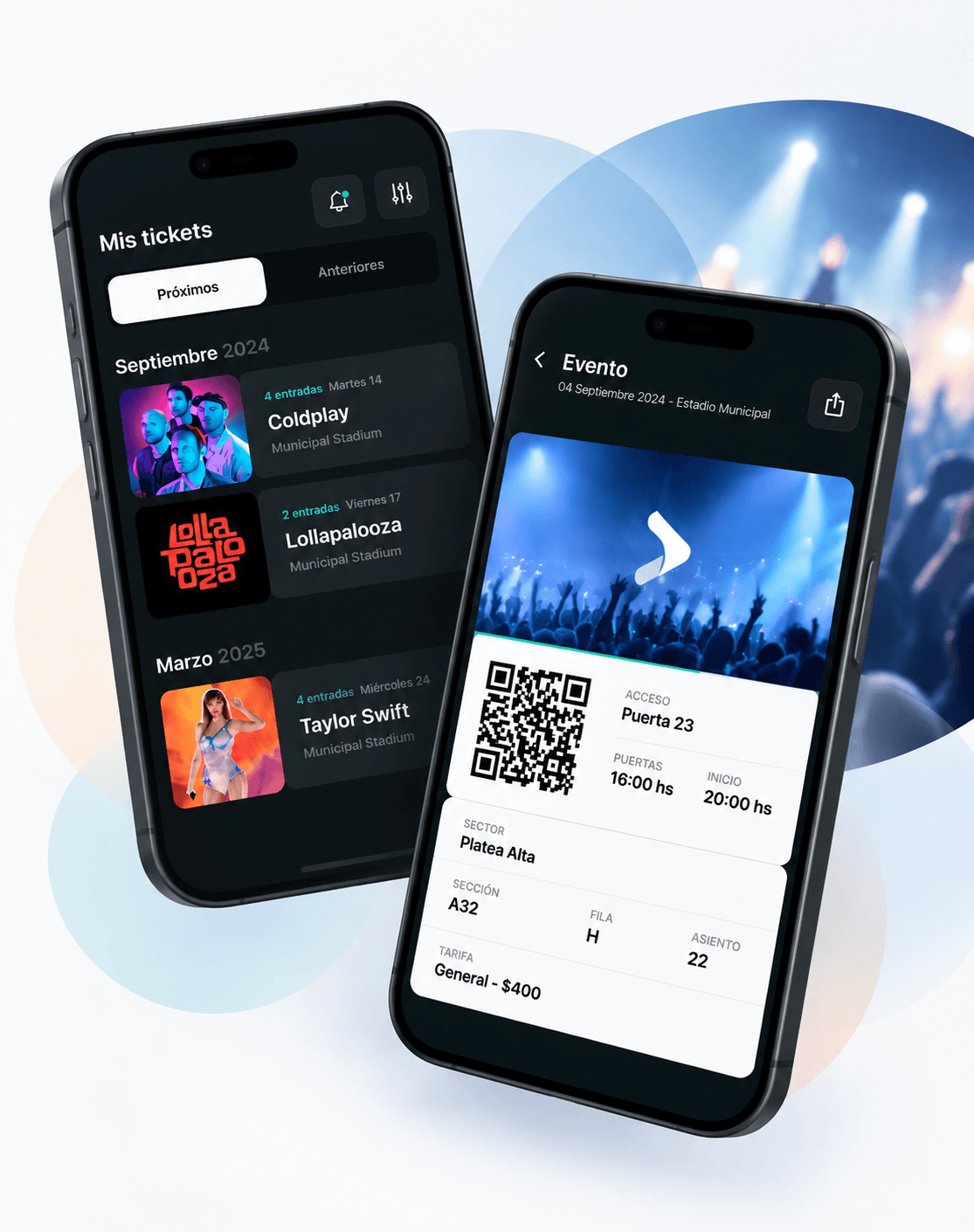
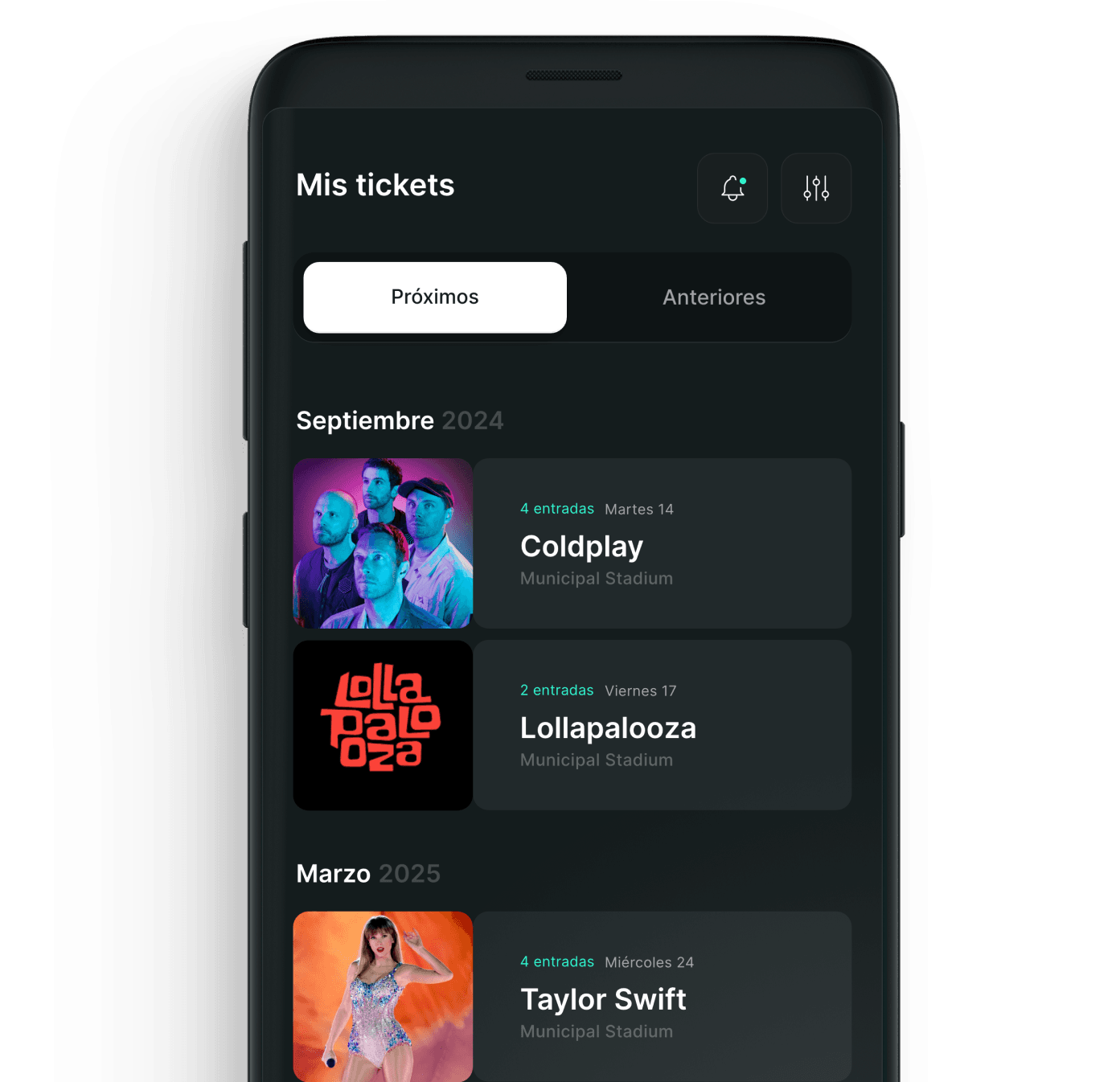
Two Quentro app screens: the Mis tickets list of upcoming events, and a ticket with its QR code, access gate and seat
Role
Product Designer
Focus
User Research · Customer Journey · UX Design · Service Design
Context
Quentro, launched by the startup Crowder · 2019

02The product

Digital tickets builtfor high-scale events

Secure tickets for massive events, where a traditional digital ticket isn't viable.

Attendee

  • Tickets in digital format
  • Delivered to your phone
  • Secure entry

A Quentro dynamic ticket. Its code regenerates every 15 seconds and works without an internet connection.

Admit one
AccesoPuerta 23Puertas 16:00 hs
Platea Alta
Fila H · Asiento 22

Drag the stub to tear it.

Event producer

  • Lower logistics costs
  • Less physical structure
  • Digital ticketing at massive events

03The challenge

Getting the ticket wasn’t the problem.Activating it was.

Activating a ticket for the first time meant moving across channels, codes and touchpoints.

Each step had a purpose. Together, they created friction.

The design question
How might we reduce friction during first-time activation without compromising the security of the ticketing system?

04Discovery

Understandingfirst-time users

How do we understand the users of an MVP? Three methods, to see both what people did and what they reported.

01

Observe

Ethnography

People using Quentro in context, without guidance.

02

Listen

Support cases + interviews

The pain points that repeated most in support and interviews.

03

Measure

Surveys

Surveys of online shoppers and Quentro users.

Survey · First large-scale event · 171 responses

3,500 people entered FMS Internacional with Quentro.

were using Quentro for the first time
97.5%
found the app easy to use
95%+
average experience rating
9.6
promoters (scored 9–10)
79.5%

Almost everyone was a first-time user, so the first-time experience was the experience.

05The original journey

One activation.Too many touchpoints.

Eight phases across web, email, SMS and the app, with two verification codes.

  1. 01 · WebChoosing QuentroElección QuentroUncertainty about the unknown
  2. 02 · EmailTicketing-site emailEmail ticketeraSurprise, bewilderment
  3. 03 · WebPhone number requestPedido celularDisoriented: am I done? How do I continue?
  4. 04 · WebCode 01Verification codeCódigo 1Uncertainty, feeling scammed
  5. 05 · SMSSMS with download linkRecibo SMSGuided, but anxious
  6. 06 · EmailCode 02Email with a second codeEmail código 2Disoriented: unintuitive instructions
  7. 07 · App storeDownload the appDescargar appAnxiety, desperation
  8. 08 · AppActivate the ticketsActivarDistrust, fear of the unknown
Rebuilt from my original journey map. Feelings are the emotions recorded at each phase.

06What users experienced

The friction wasn’t isolatedto one screen

Research pain points, in three groups.

Cognitive friction

  • Confusion
  • Disorientation
  • Uncertainty
  • Complexity

Users weren't always sure what they needed to do next.

Emotional friction

  • Frustration
  • Fear
  • Anxiety
  • Chaos

Uncertainty becomes particularly problematic when the product controls access to an event the customer has already paid for.

Operational friction

  • Tedious process
  • Disorder
  • Loss / disappearance
  • Theft

The experience had to balance ease of access with the security requirements of digital ticketing.

07 — Key insight

The problem wasn’t one interaction.It was the accumulation of friction across the entire activation journey.

Each step made sense to the system. Users experienced them as one task, and the switching between channels and codes broke their mental model.

From the research

First use of Quentro: two codes in one flow. The biggest source of friction, and the reason for the redesign.

08The design opportunity

Security shouldn’t comeat the cost of clarity.

Security was core to Quentro, and some steps had to stay: merging the two code emails into one wasn't possible.

So the goal was to reduce perceived complexity, not security.

  1. 01

    Guide, don't expose complexity

    Technical requirements shouldn't require users to understand the system behind them.

    Responds to · Lack of cohesion between touchpoints · Scarce usage information

  2. 02

    One clear next action

    Every step should make the next action obvious.

    Responds to · Lack of hierarchy in the emails

  3. 03

    Build confidence

    Users should understand where their ticket is, what is happening and what remains before activation.

    Responds to · Absence of empathy

09Solution

From disconnected interactionsto one guided journey

The activation retold as one story, then each touchpoint redesigned around the next action.

Before · Fragmented activation

  1. Ticketing-site email
  2. Phone number request
  3. Verification code
  4. SMS with download link
  5. Email with a second code
  6. Download the app
  7. Activate the tickets

Design direction

Guide users through one continuous activation journey.

After · One guided journey

  1. Step 1Go to the ticketing siteIngresá a la web de la ticketera
  2. Step 2→ ASend the tickets to your phoneEnvialos a tu celular
  3. Step 3→ BDownload the appDescargá la app
  4. Step 4→ CReceive them in the appRecibilos en la app
  5. Step 5→ DGet in by showing your ticketIngresá mostrando tu ticket en Quentro

The five-step flow is from the original redesign (“Guiar al usuario con claridad”). Letters link to the touchpoints below.

Screens rebuilt from the original redesign, in Spanish as in the product.

Touchpoint A

Show where the tickets are going

  1. Problem · What research identified

    At the phone-number step, people were disoriented: am I done? How do I continue?

  2. Design decision · What changed

    The ask became “¿A qué número enviamos tus tickets?”, with a three-step tracker, a format example and a “how it works” link.

  3. User benefit · Why it reduces friction

    People see why they're asked, where they are and what comes next.
Touchpoint B · C

Make security a step, and activation one action

  1. Problem · What research identified

    Out-of-context codes felt suspicious; at activation, people felt distrust and fear of the unknown.

  2. Design decision · What changed

    Validation became a named step (“Validá tu cuenta”) with one action. Activation is one button, with “¿Cómo activo mis entradas?” below.

  3. User benefit · Why it reduces friction

    Security reads as part of the product, and the next action is always obvious.

Mis tickets: upcoming events grouped by month, each showing the number of tickets, date and venue
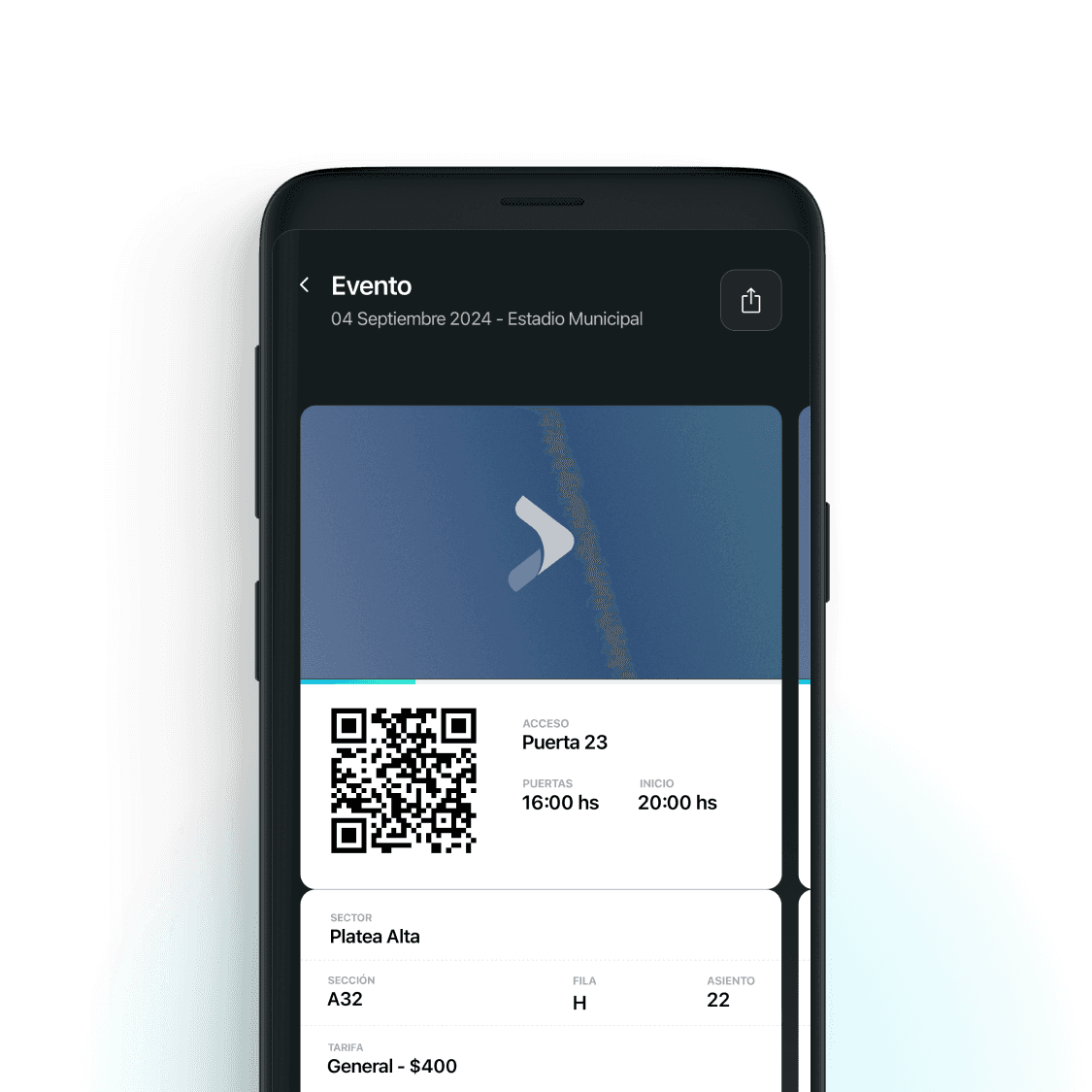
A ticket in the app: QR code with access gate, door time, start time, sector, row and seat
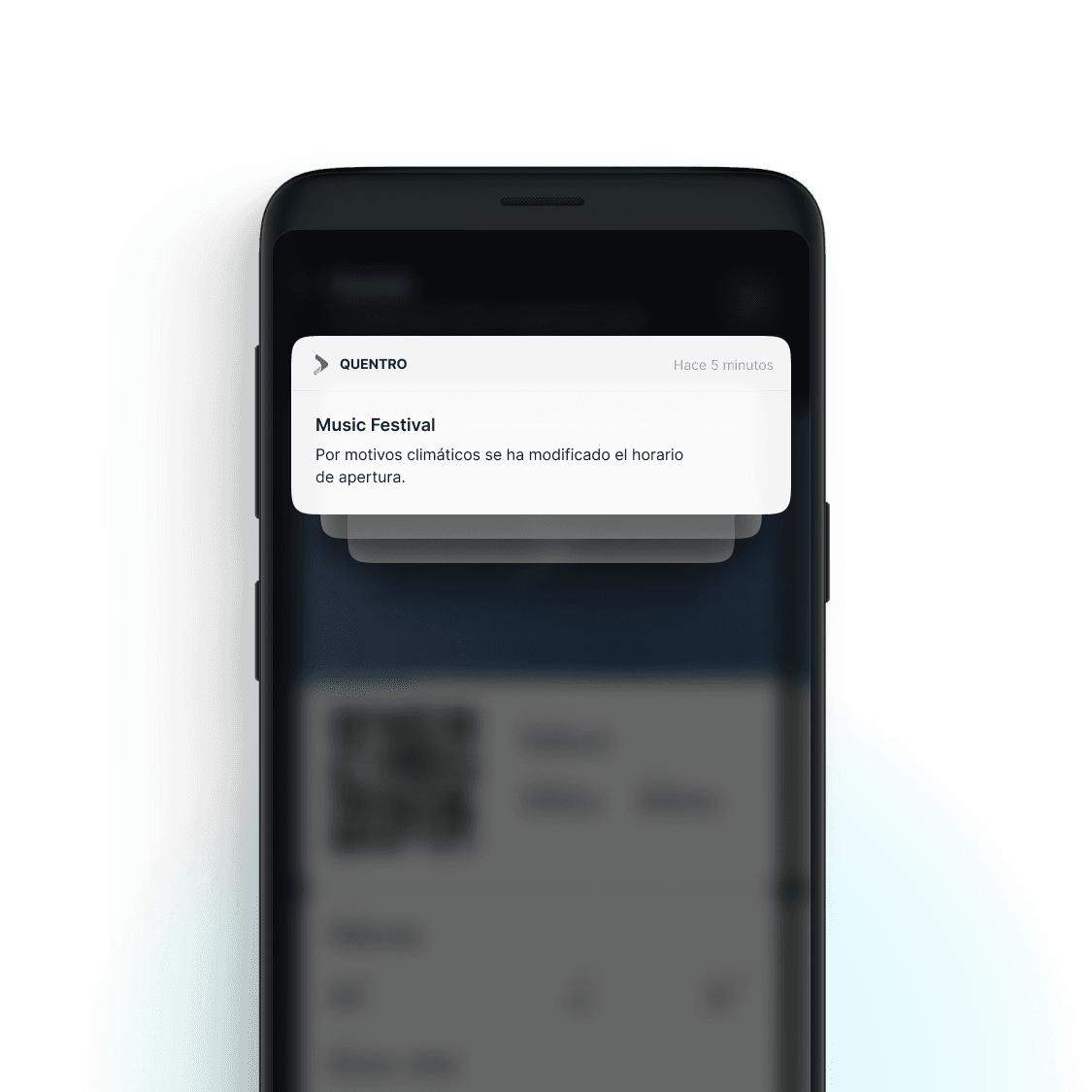
A Quentro notification telling the user that the opening time of a music festival has changed

Touchpoint D

Keep confidence after activation

  1. Problem

    Loss and theft were recurring fears, and event-day touchpoints were an open opportunity.

  2. Design decision

    Tickets live in one place by date; each shows gate, doors and start time, and changes arrive as notifications.

  3. User benefit

    Users can check their tickets are there and know what to expect.

10What I learned

Simplifying an experience doesn’t always mean simplifying the system behind it.

Quentro taught me to look past single screens to friction across a whole service journey. The job wasn't removing security, but sparing users the complexity behind it.

Complex system.Simple experience.