
Santander · 2021
Digital Help Center
Support was branch-first, by default. We set out to change that.
Role
UX Designer
Scope
Discovery · Information Architecture · Workshops · User Testing · Salesforce
Duration
6 months
1,000+
Help Center articles — grown from an 80-article MVP
140
Self-service flows
4M+
Visits every quarter
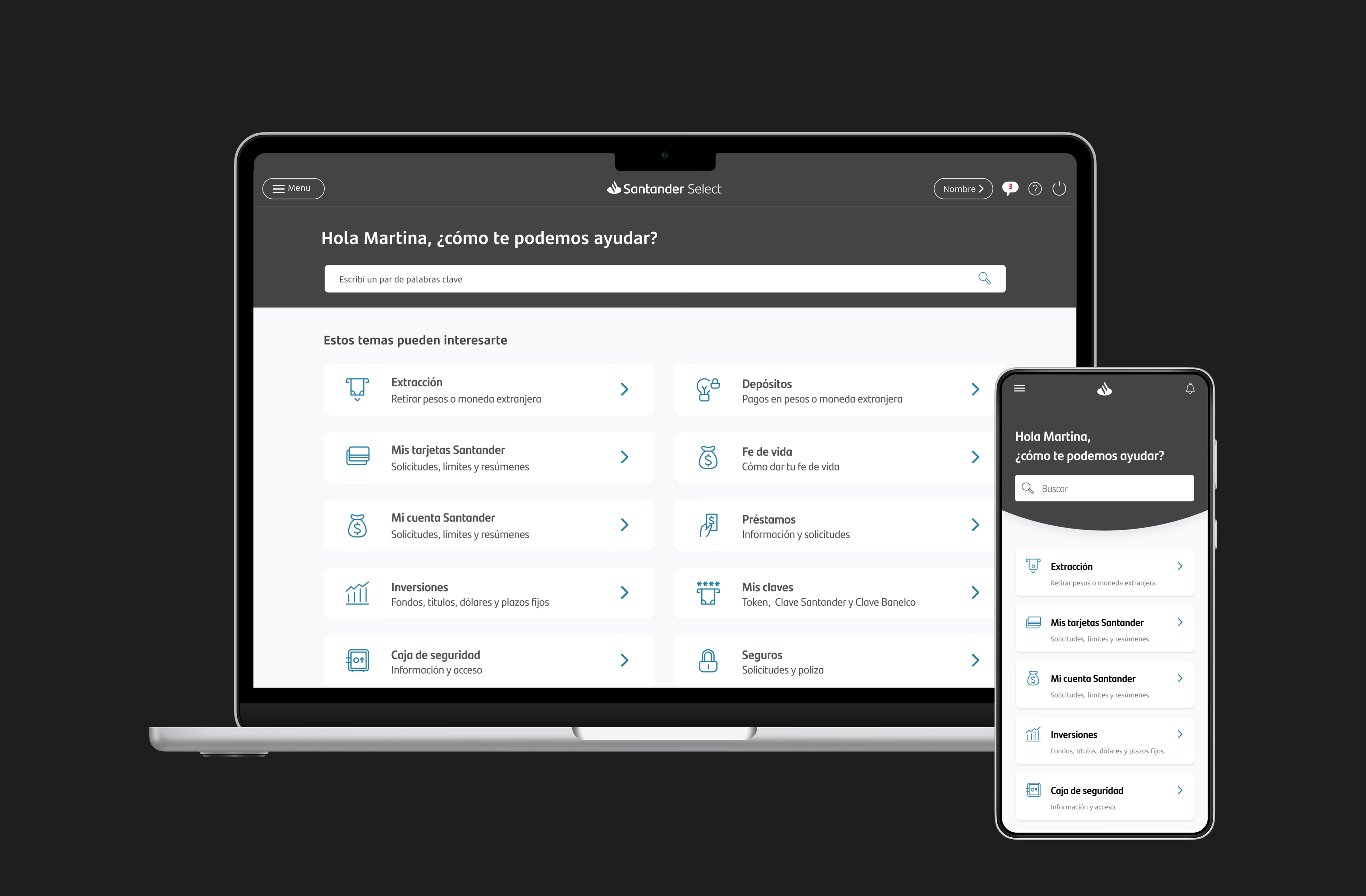
Overview
Santander's Help Center had to move onto Salesforce. I used that integration as a chance to rethink how customers get help — because too many were calling or visiting a branch for things they could have solved on their own.
Customers defaulted to calls and branch visits — even after trying to help themselves online.
Research, a co-creation workshop, wireframes and user testing — from discovery to launch.
An MVP of 80 articles grew into a Help Center with 1,000+ articles and 4M+ visits a quarter.
Help existed. People just couldn't get to it.
01 · The challenge
Fewer contacts. More problems solved without them.
Moving the Help Center onto Salesforce came with a business goal: fewer contacts across every channel, and more customers solving things on their own. The numbers showed how far off that was.
Reduce the contact ratio in contact centers and branches — 77,545 fewer contacts a month.
Baseline: 1,181,131 contacts a month (2020)
of people who booked a branch appointment online had already tried to solve it themselves.
Baseline: 76% self-management contacts a month (2020)
Takeaway
More than half the people who booked a branch visit had already tried — and failed — to solve it online.
02 · Research
What customers do, and what the traffic says.
I interviewed customers who had used the Help Center at least twice, benchmarked Mercado Libre and Despegar, and analysed a year of Help Center traffic.
- Contact details topped the traffic all year — people were looking for a way out, not an answer
- Scheduling a branch visit fell from 4th to 13th; starting a claim climbed from 16th to 10th
- The best help centers lead with one question and a search bar, then a few task-based categories
From findings to a shared direction.
03 · Direction
Mapping the journey with the whole team.
I facilitated a co-creation workshop with Business, Product, Engineering and UX. Together we mapped where the journey broke, prioritised content, named the product and agreed on the main flow — within Salesforce's technical limits.
The customer journey
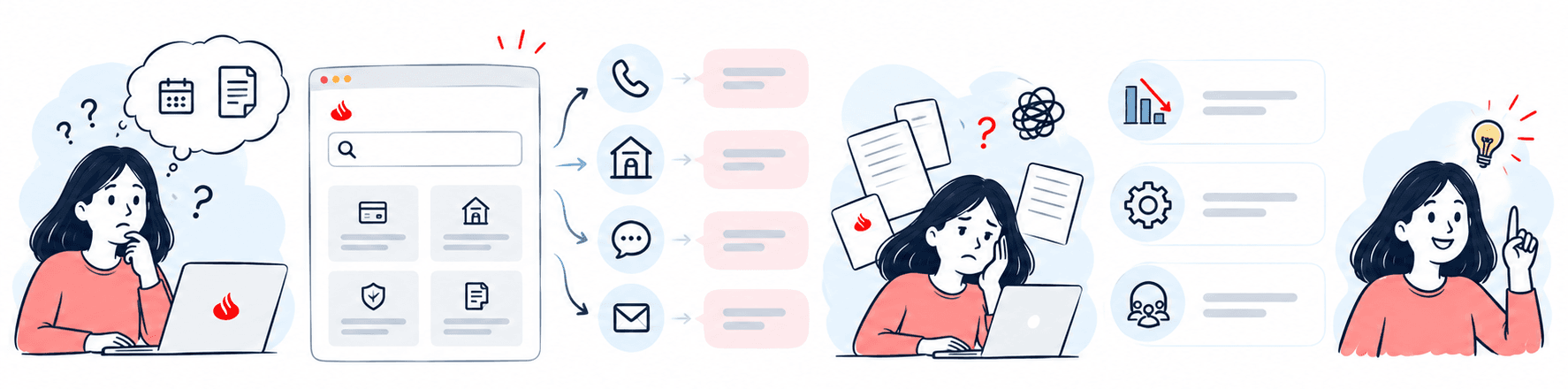
- 01A simple questionBook a branch visit, find a document.
- 02The Help CenterSearch and categories — but answers are scattered.
- 03Routed outPhone, branch, chat or email.
- 04Lost in articlesLong content, still unsure what to do.
- 05The business sideContact volume, operations and teams.
- 06ClarityThe answer — without having to call.
Takeaway
The gap wasn't missing content — it was the path between a question and its answer.
04 · Design
Search first, then the shortest path to an answer.
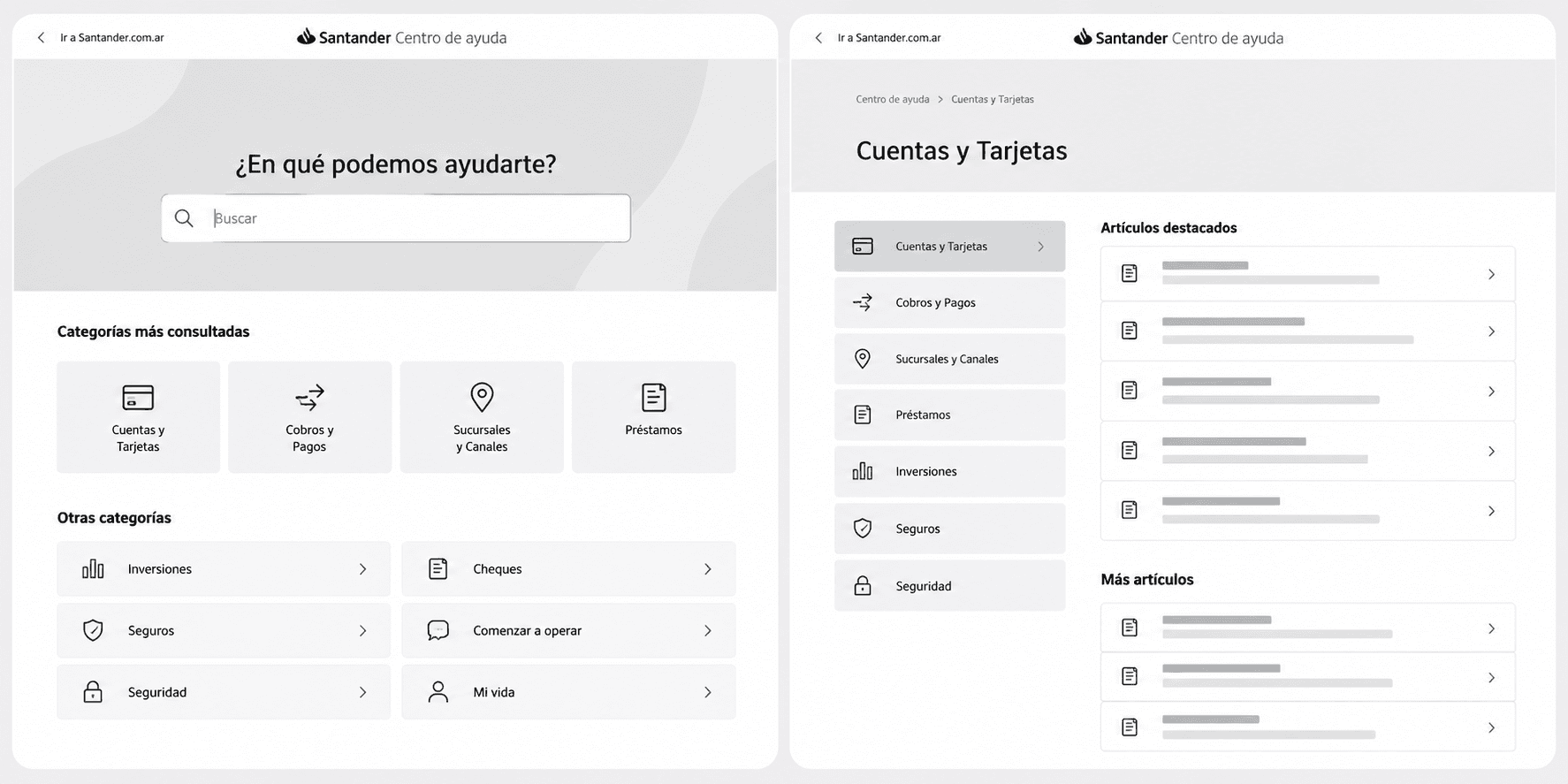
I sketched the experience in low fidelity and iterated with the same group. Every page opens with one question and a search bar, then the most-consulted categories, with every other topic one tap away. Search surfaces self-service actions before articles, so people can act instead of just reading.
Validated, launched — and still growing.
05 · Testing
Five customers, one end-to-end flow.
I tested the MVP with five customers, including an A/B test on the product's name.
- Found the entry point
- Navigated the IA without friction
- Completed the flow end to end
- Keep the name “Help Center” (A/B test)
- Expect to schedule a branch visit from it
Takeaway
Every participant found the entry point and finished the flow — and all five wanted to book branch visits from it.
06 · Launch
Employees first, then customers.
The new Help Center launched to Santander's own employees first — to catch pain points, fix inconsistencies with Flame (Santander's design system) and bring in flows other squads had already automated. It also checks back on a customer's last query.
07 · Three years later
From an 80-article test to a product the bank runs on.
The MVP started small: 80 informational articles, with support routed by customer type and query. It worked — and showed we were on the right track. Three years and many challenges later, the Help Center lives across the bank's digital channels. Most recently, we launched a Help Center Backoffice: an internal tool to create, edit and retire content, with request inboxes for every area of the bank — so the product can sustain itself over time.
Takeaway
The key isn't creating something — it's making it work, and making sure it gets used.